

Home security cameras can deter theft, catch package thieves and provide peace of mind while you are away. Here is how to choose the right features, protect your privacy and place cameras for real results.
Decide What You Want to Protect
Start by identifying the areas that matter most. Front doors, back doors, driveways, garages and package delivery spots are common priorities, since most break-ins and thefts involve these entry points.
Think about what you want the cameras to accomplish. Some people mainly want alerts when someone approaches, others want clear recordings for insurance claims or police reports, and some simply want to check on pets while away.
Indoor and outdoor cameras serve different purposes. Outdoor cameras deter and record activity outside, while indoor cameras can confirm what happens inside if someone gets in, though they raise more privacy questions.
Consider your living situation as well. Renters may prefer battery-powered or plug-in cameras that require no drilling or wiring, and should review lease rules before installing anything on the exterior of a building.
Planning coverage before buying prevents gaps and wasted money. A few well-placed cameras covering the right spots are more effective than many cameras pointed at areas where nothing important happens.
Features That Matter Most
Video resolution affects how much detail you can see. Higher resolution helps identify faces and license plates, but placement and lighting matter just as much, so a well-positioned camera often beats a higher-resolution one mounted poorly.
Night vision is essential for outdoor cameras. Infrared night vision provides black and white footage in darkness, while some cameras use built-in spotlights or sensitive sensors to capture color video at night.
Field of view determines how much area each camera covers. Wide-angle lenses capture more of a yard or room, though extremely wide views can distort images and make distant details harder to see.
Smart detection reduces annoying alerts. Cameras that can distinguish people, vehicles, animals and packages let you receive notifications only for the events you care about instead of every moving branch.
Two-way audio lets you speak through the camera to delivery drivers, visitors or anyone lingering near your door. It can also be useful for calming pets or warning off someone who should not be there.
Weather resistance is a must for outdoor cameras. Look for ratings that indicate protection against rain and dust, and consider whether the camera can handle the temperature extremes common in your area.
Power, Storage and Subscriptions
Battery-powered cameras are easy to install anywhere but need periodic recharging. Wired cameras provide continuous power and are more reliable for constant recording, while solar panels can extend battery life for some models.
Storage options vary widely. Some cameras save video to a local memory card or hub in your home, while others store footage in the cloud, often requiring a monthly subscription to access recordings.
Local storage avoids ongoing fees and keeps footage under your control. However, if a thief steals or damages the camera or hub, recordings stored on it may be lost along with the device.
Cloud storage keeps footage safe even if the camera is damaged. Subscription plans often add features such as longer video history and advanced detection, so compare the total cost over several years when choosing.
Read the fine print before buying. Some cameras offer limited functionality without a subscription, and understanding what is included helps you avoid surprises after installation.
Privacy and Security Settings
Security cameras are connected devices, and they must be protected like any other account. Use a strong, unique password for the camera app and enable two-factor authentication to prevent unauthorized access.
Keep camera firmware and apps updated. Manufacturers release updates to fix vulnerabilities, and reputable brands support their devices with regular security patches for years after purchase.
Look for end-to-end encryption options. When available, this feature ensures that only your devices can view recorded footage, adding an important layer of protection for video from inside your home.
Respect the privacy of neighbors and visitors. Avoid pointing cameras into neighbors’ windows or yards, and be aware that laws about recording audio vary by state, so check local rules before enabling sound recording.
Use privacy zones and schedules for indoor cameras. Many apps let you block parts of the frame or turn off indoor cameras automatically when family members are home, balancing security with comfort.
Consider who has access to your camera account. Shared access for family members is convenient, but review the list periodically and remove anyone, such as former roommates, who no longer needs it.
Placement and Setup Tips
Mount outdoor cameras high enough to prevent tampering, typically around eight to ten feet, but angled so faces remain visible. Cameras mounted too high may record only the tops of heads.
Avoid pointing cameras directly at the sun or bright lights, which can wash out footage. Test the view at different times of day to confirm the image remains clear in both morning and evening light.
Make sure your Wi-Fi signal is strong where each camera is installed. Weak connections cause delayed alerts and choppy video, and a mesh network or extender may be necessary for distant locations.
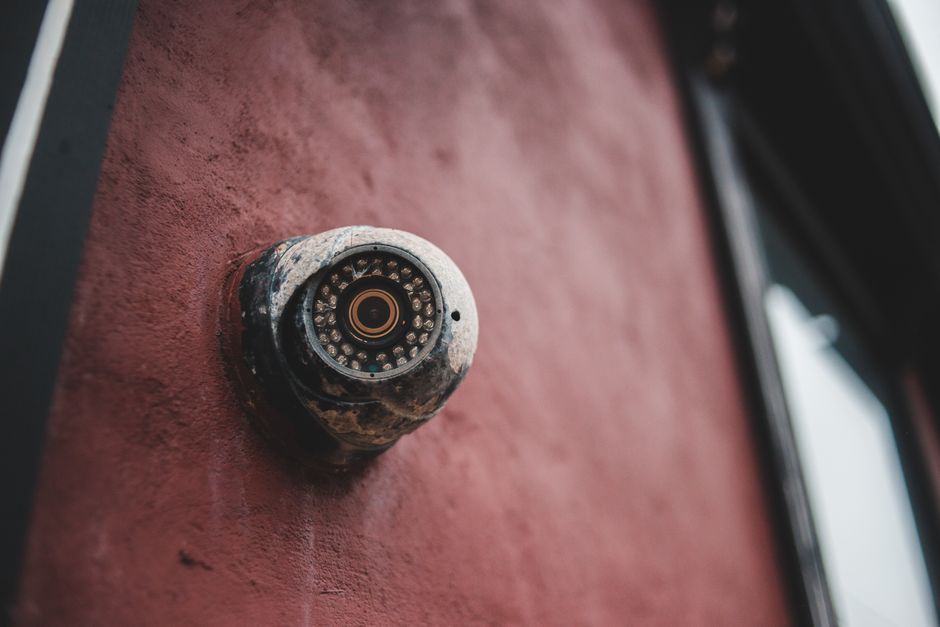
Visible cameras can deter crime on their own. Placing a camera where it can be seen, along with a small sign, may encourage would-be intruders to move on before anything happens.
With thoughtful placement, strong security settings and the right features, home cameras become a reliable part of protecting your home. Taking time to plan the setup ensures they provide useful footage when it matters most.